
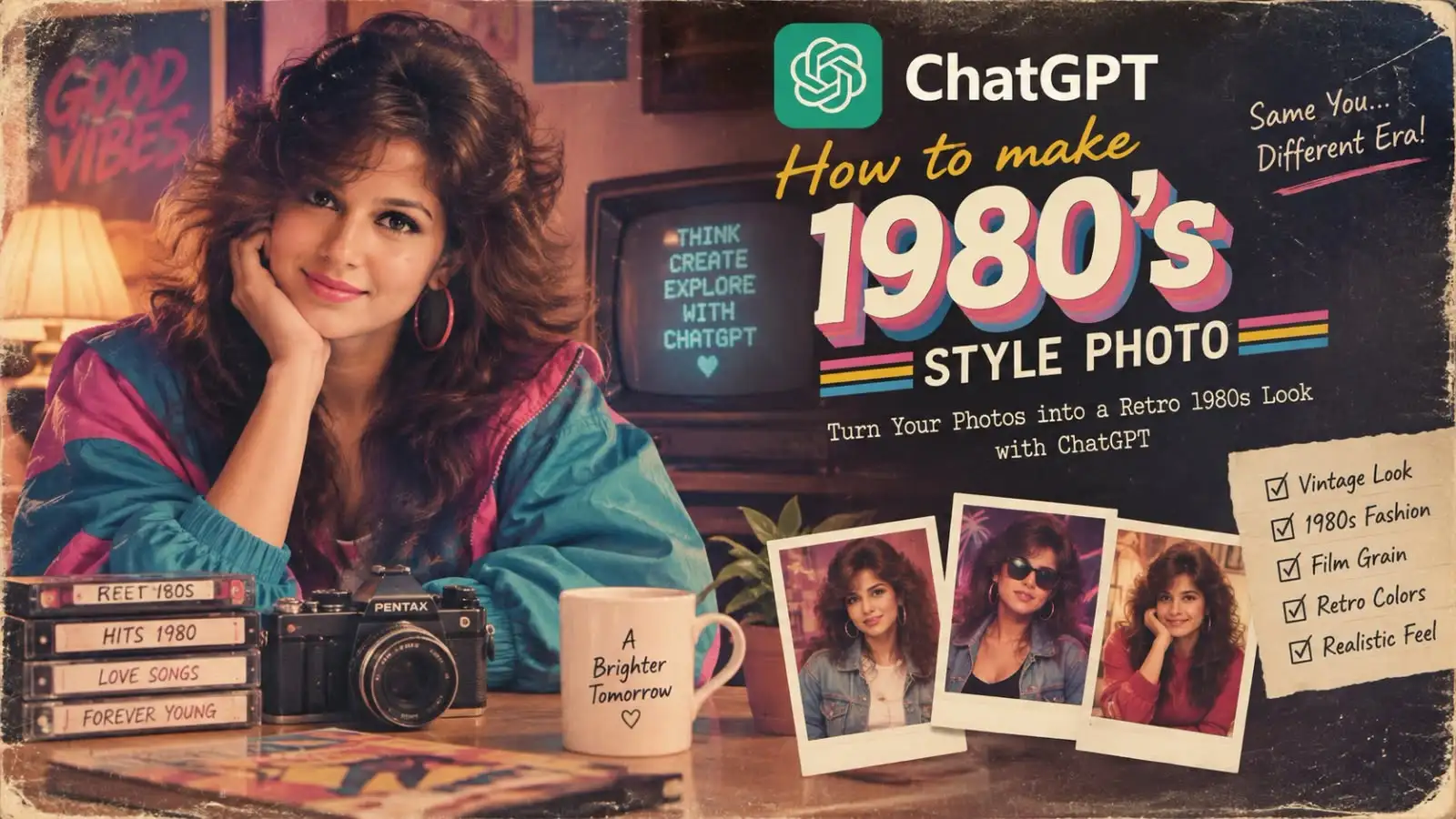
ChatGPT 1980s Style Photo कैसे बनाएं?
इंस्टाग्राम पर इन दिनों एक नया ट्रेंड छाया हुआ है — लोग अपनी नॉर्मल फोटो को ChatGPT की मदद से 1980s के रेट्रो पोर्ट्रेट में बदल रहे हैं। ना कोई फिल्टर, ना कोई एडिटिंग ऐप — सिर्फ एक सही प्रॉम्प्ट और आपकी फोटो।
इस ब्लॉग में जानेंगे कि यह ट्रेंड क्या है, कैसे काम करता है, और आप खुद अपनी 80s स्टाइल फोटो कैसे बना सकते हैं।
ChatGPT 1980s Style Photo यह ट्रेंड है क्या?
आसान भाषा में समझें तो — आप अपनी एक फोटो ChatGPT पर अपलोड करते हैं और उसे एक खास प्रॉम्प्ट देते हैं, जिसमें कहा जाता है कि आपकी फोटो को 1980s के जमाने के स्टूडियो पोर्ट्रेट जैसा बना दिया जाए। AI आपका चेहरा और स्किन टोन जस का तस रखते हुए बाकी सब कुछ बदल देता है:
- घने, वॉल्यूमिनस रेट्रो बाल
- उस दौर के कपड़े और फैशन
- स्टेटमेंट ज्वेलरी
- गर्म (warm) स्टूडियो लाइटिंग
- फिल्म ग्रेन और विंटेज कलर टोन
नतीजा ऐसा आता है मानो यह फोटो सच में 40 साल पहले किसी स्टूडियो में खींची गई हो।
5 अलग-अलग 1980s Photo Prompts
अगर एक ही स्टाइल से बोर हो गए हैं, तो नीचे दिए गए 5 वेरिएशन ट्राई करें:
1. Classic Indian Studio Look
“Transform this photo into a glamorous 1980s Indian portrait. Keep my facial features and natural skin tone unchanged. Add voluminous retro hair, vintage Indian fashion, statement jewellery, warm studio lighting, cinematic colours and subtle film grain. Make it look like a realistic photograph from the 1980s.”
2. Bollywood Poster Style
“Turn this photo into a 1980s Bollywood movie poster style portrait. Keep my face and skin tone exactly the same. Add dramatic pose, bold retro typography in the background, vibrant saturated colours, and a glossy hand-painted poster look from that era.”
3. Western Disco Vibe
“Transform this photo into a 1980s American disco-era portrait. Keep my facial features unchanged. Add glossy studio lighting with neon color accents, feathered retro hairstyle, bold shoulder-pad outfit, and a shiny disco-ball background feel.”
4. Yearbook Photo Style
“Turn this into a 1980s high school yearbook portrait. Keep my face and natural skin tone the same. Add a soft blue-grey studio backdrop, classic 80s hairstyle, casual retro outfit, slight film grain, and warm nostalgic lighting.”
5. Vintage Family Album Style
“Transform this photo into a candid 1980s family album snapshot. Keep my facial features unchanged. Add faded warm tones, slight motion blur and grain like an old analog camera, vintage clothing, and a simple home or outdoor background typical of that decade.”
ChatGPT 1980s Style Photo स्टेप-बाय-स्टेप तरीका
1. एक अच्छी फोटो चुनें
साफ, अच्छी रोशनी वाली और फ्रंट-फेसिंग फोटो सबसे बेहतर रिजल्ट देती है। चेहरा जितना साफ दिखेगा, AI उतना बेहतर मैच बना पाएगा।
2. ChatGPT में फोटो अपलोड करें
ChatGPT ऐप या वेबसाइट खोलें, चैट में अपनी फोटो अपलोड करें।
3. यह प्रॉम्प्ट डालें
नीचे दिया गया वायरल प्रॉम्प्ट इस्तेमाल करें:
“Transform this photo into a glamorous 1980s Indian portrait. Keep my facial features and natural skin tone unchanged. Add voluminous retro hair, vintage Indian fashion, statement jewellery, warm studio lighting, cinematic colours and subtle film grain. Make it look like a realistic photograph from the 1980s.”
4. रिजल्ट देखें और जरूरत हो तो दोबारा कहें
अगर पहला रिजल्ट पसंद न आए, तो आप बदलाव के लिए दोबारा मैसेज कर सकते हैं — जैसे “hair थोड़े और वॉल्यूम में करो” या “background स्टूडियो जैसा करो”।
अलग-अलग वाइब के लिए वेरिएशन
आप अपनी पसंद के हिसाब से प्रॉम्प्ट में बदलाव कर सकते हैं:
- बॉलीवुड पोस्टर लुक: “Bollywood movie poster style, dramatic pose, bold typography in background”
- वेस्टर्न डिस्को वाइब: “1980s American disco style, neon lighting, glossy studio background”
- यरबुक फोटो स्टाइल: “1980s high school yearbook portrait, soft blue or grey studio backdrop”
ध्यान रखने वाली बातें
- हमेशा अपनी खुद की फोटो इस्तेमाल करें, किसी और की फोटो बिना अनुमति के इस्तेमाल न करें।
- रिजल्ट थोड़ा अलग-अलग आ सकता है — एक ही प्रॉम्प्ट से भी हर बार नया लुक मिल सकता है, तो एक-दो बार ट्राई करें।
- अगर सोशल मीडिया पर शेयर कर रहे हैं, तो बताना न भूलें कि यह AI-जनरेटेड फोटो है।
निष्कर्ष
यह ट्रेंड मजेदार है क्योंकि यह सिर्फ पुराना फिल्टर लगाने की बजाय पूरी तस्वीर को एक नए दौर में ले जाता है। बस एक सही प्रॉम्प्ट और अच्छी फोटो के साथ, आप कुछ ही सेकंड में अपनी खुद की “80s लुक” तैयार कर सकते हैं।
Also Read: –
How To Clear WhatsApp Storage in 1 Minute
How to Connect Smartphone to Smart TV in 2026: जानें आसान तरीके
New Kia Seltos 2026 India: कीमत, इंजन, माइलेज और फीचर्स
Pixel 11 Pro Fold Teaser आउट: Pine Green कलर, Gemini AI और 12 अगस्त को लॉन्च